Renaming Exsisting Menu Items
-
Hi ,
I would like to hide some menu items and rename some other. I was not able to find the file or where to rename this. I just want to change the text in the menu and breadcrum. anyone please suggest me a way to do that?Thanks
-
Hello @ahasminyodha
Can you please let us know which texts in the menu you want to change so that we can assist you accordingly?
Also in the packages >> Webkul >> Admin >> src >> Config >> menu.php this file is responsible for the menus.
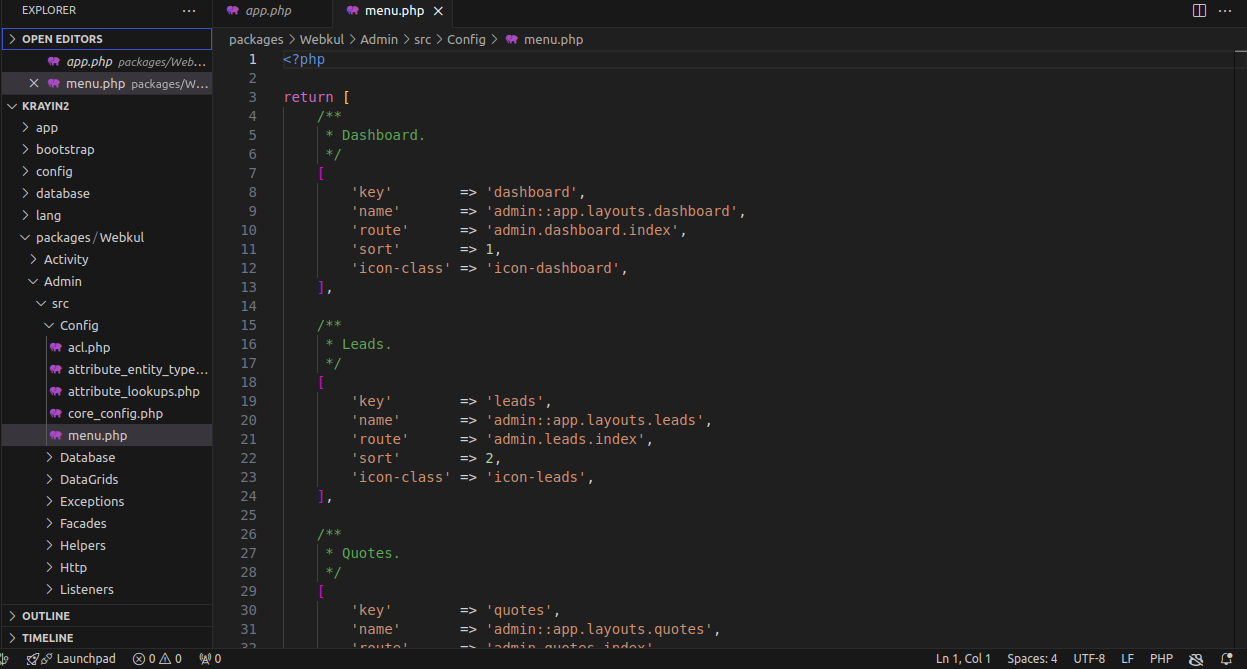
And for the text you can manage the texts from the packages >> Webkul >> Admin >> src >> Resources >> lang >> en >> app.php
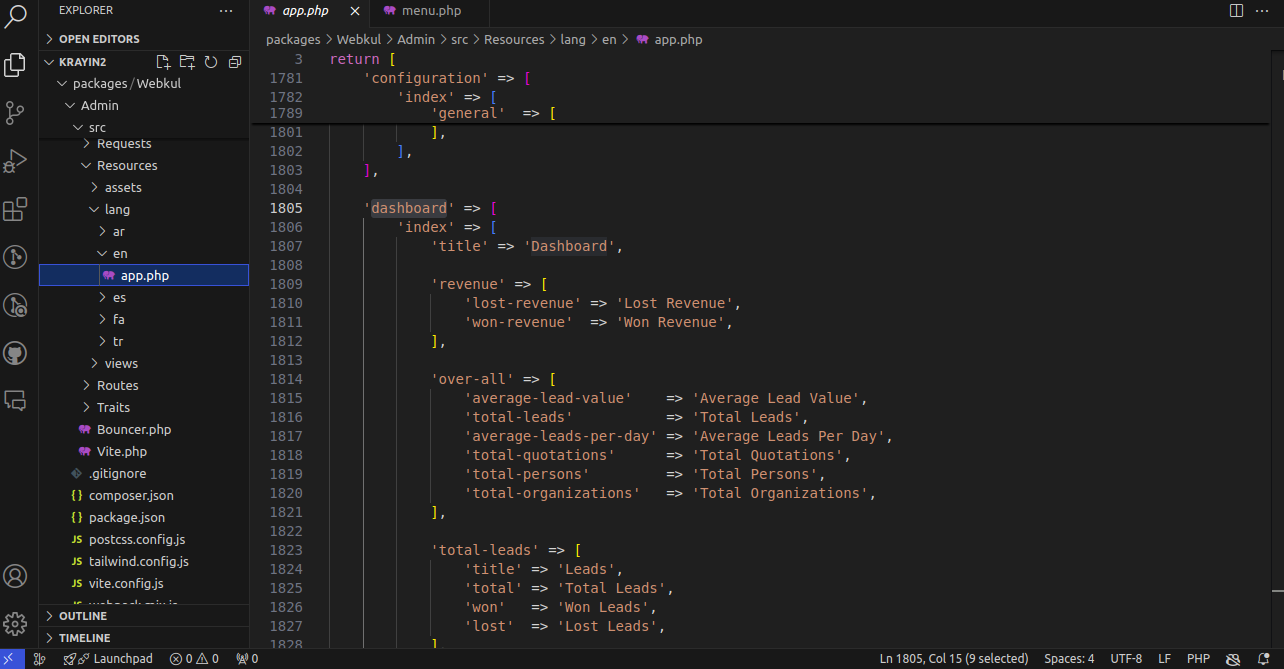
Thanks & Regards
-
Hi,
If you just want to rename or hide menu items in Krayin, you’re looking in the right place with:
packages/Webkul/Admin/src/Config/menu.php
Inside that file, each menu item has a 'name' => '...' value — you can simply change that text to whatever label you want to display in the admin panel.
For hiding items, you can either:
Comment out the whole menu array block
Or control it using permissions if your setup supports roles
After making changes, don’t forget to:
php artisan config:clear
php artisan cache:clearso the updates show correctly.
Also, if you’re doing this for a client project and want cleaner naming for usability, it’s worth standardizing labels across the dashboard so users don’t get confused (I had to do something similar while working on a small service site for Lubbock landscaping services dashboard naming example).
Hope this helps
